A fax server is software that sends and receives faxes over the internet instead of a physical fax machine and phone line. It turns email, a web browser, or an application into a fax endpoint, routes the document through a SIP trunk using the T.38 protocol, and delivers it to any traditional or digital fax number. One server can replace a whole room of fax machines.
If your team still walks paper to a beige box in the corner, you are paying for hardware, toner, dedicated lines, and lost documents. Fax server software removes all of that. It also gives you something a fax machine never could: encryption, audit trails, multi-user accounts, and the option to run the whole thing under your own brand. This guide explains what fax server software is, how it works, the deployment options, and how to pick the right one.
What is fax server software?
Fax server software is an application that handles fax transmission digitally. Users submit a document from email or a web portal, the server converts it to a fax image, and it carries the call over IP rather than an analog line. Incoming faxes arrive the same way and land in an inbox or a folder instead of a paper tray. Below are the terms you will meet again and again.
- FoIP (Fax over IP)
- Sending fax signals across an IP network rather than the traditional public telephone line. This is the foundation every fax server is built on.
- T.38
- The protocol that carries a real-time fax call over IP. It packages the fax tones so they survive the trip across the internet without the dropouts that plague plain voice codecs.
- SIP trunk
- The virtual phone line that connects your fax server to the outside telephone network. It replaces the copper line that used to plug into the back of a fax machine.
- Email-to-fax and fax-to-email
- Send a fax by emailing it as an attachment, and receive faxes as files delivered straight to an email address. No client software needed.
- Multi-tenant
- A single installation that hosts many separate organizations, each with its own users, numbers, and isolated data.
- White-label
- The ability to brand the portal, emails, and interface as your own product, so you can resell the service under your company name.
How a fax server works
The flow is simpler than the acronyms suggest. A user submits a document, the server renders it into a fax image, and a media engine places the call over a SIP trunk. ICTFax uses FreeSWITCH as that media engine, which handles the T.38 negotiation and the call itself. Figure 1 shows the path of an outbound fax and the matching inbound route.
Because the call runs over IP, the document is just data until the moment it reaches a legacy fax machine. That is what makes encryption, retention rules, and detailed logs possible, none of which a standalone fax machine can offer.
Deployment options: self-hosted, hosted, and white-label
Not every fax server is sold the same way. The three common models suit very different buyers.
- Self-hosted open source
- You install the software on your own server and keep full control of the data and the source code. ICTFax has an open source community edition for exactly this. It fits IT teams that want to own their stack and customize it.
- Hosted (cloud)
- A provider runs the server for you and you log in to a portal. Less control, faster to start, and no machine to maintain.
- White-label service provider edition
- A multi-tenant build that lets you resell hosted fax to your own customers under your brand. ICTFax SP Edition is built for this, with branded portals, emails, and per-tenant isolation.
Multi-tenant and white-label architecture
The service provider edition is where fax server software earns its keep for telecom resellers and managed service providers. One installation hosts many clients. Each client gets isolated users, numbers, and data, while you control the trunks and resources from the top. Figure 2 shows how the roles stack.
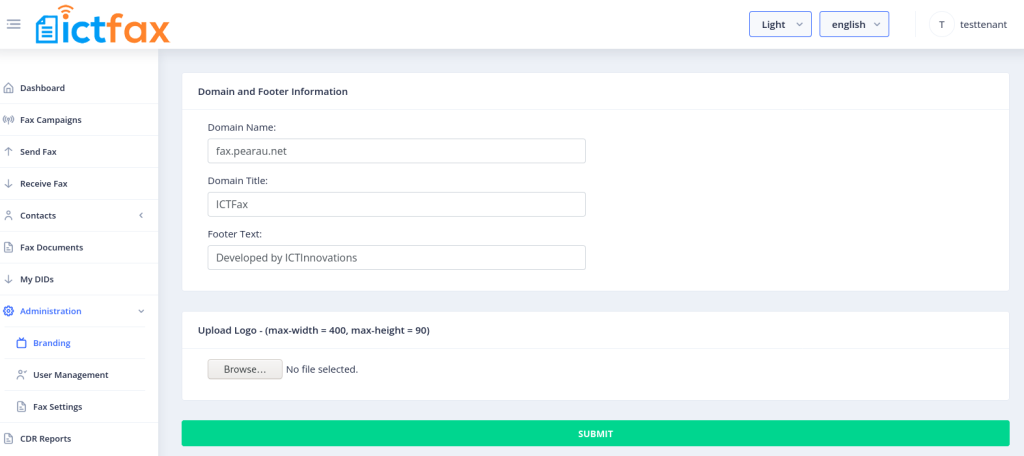
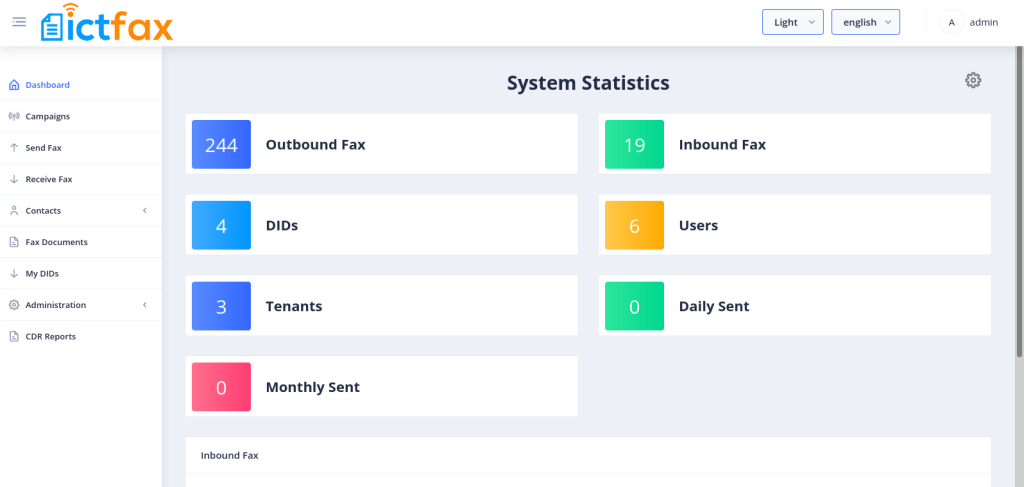
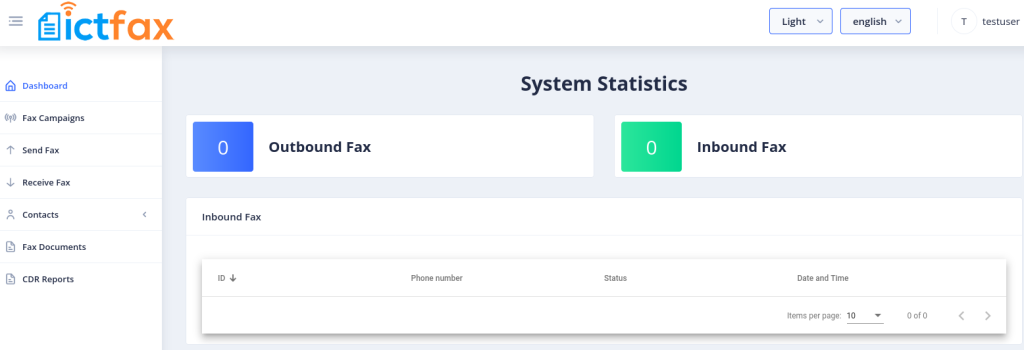
ICTFax SP Edition assigns three clear roles. The admin owns the setup, configures trunks and routes, creates tenants, and allocates resources such as DIDs and dedicated trunks. The tenant or client manages its own users, distributes its fax quota, and applies its own branding. The user sends and receives faxes, runs fax campaigns, and manages contacts. Because every tenant is isolated, one client never sees another client’s data.
Key features to expect from fax server software
Security and HIPAA compliance
Faxes often carry medical records, contracts, and other sensitive data, so security is not optional. ICTFax encrypts incoming fax documents the moment they arrive and stores them in encrypted form. Even an administrator cannot read them. Only the destination user, holding the encryption key, can decrypt and download a fax. Retention rules then delete documents automatically after a set period. If compliance is your main concern, read our deeper guide to HIPAA compliant fax server software.
Email-to-fax, web faxing, and campaigns
Users send a fax by emailing an attachment or by uploading through a web portal. Incoming faxes are delivered to email as files. For high-volume needs, fax campaigns send the same document to many numbers at once. If most of your faxing starts in a browser, our note on web-to-fax server software covers that workflow in detail.
Trunk and route management
The admin configures SIP trunks and routing rules, and can assign a dedicated trunk to a specific tenant when a client needs guaranteed capacity. See dedicated trunk support for how that is set up per client.
Fax server software vs a traditional fax machine
| Factor | Traditional fax machine | Fax server software |
|---|---|---|
| Hardware | One machine per location, plus toner and paper | One server replaces every machine |
| Lines | A dedicated analog line per machine | SIP trunks shared across all users |
| Sending | Walk to the machine, feed paper | Email or web from any desk |
| Security | Pages sit in an open tray | Encryption, access keys, retention rules |
| Audit trail | None | Full logs of every fax |
| Multi-user | Shared, no isolation | Per-user and per-tenant accounts |
How to choose the right fax server
Match the software to how you actually work. Run through this checklist before you commit.
- Decide on deployment: self-hosted for control, hosted for speed, white-label if you plan to resell.
- Confirm real T.38 support so transmissions stay reliable over IP.
- Check security depth: encryption at rest, access keys, and automatic retention if you handle protected data.
- Look for email-to-fax and web faxing so staff need no special client.
- For providers, require true multi-tenant isolation and per-tenant branding.
- Prefer open source if you want to audit or customize the source code.
- Verify trunk flexibility, including dedicated trunks for high-volume clients.
Frequently asked questions
What is the difference between a fax server and an online fax service?
A fax server is software you control, often on your own hardware, with full access to data and settings. An online fax service is a subscription where someone else runs everything. A self-hosted fax server gives you ownership and customization; a service gives you convenience.
Do I still need phone lines for a fax server?
No analog lines. A fax server connects to the telephone network through SIP trunks, which are virtual lines delivered over the internet. One set of trunks serves all your users.
Is fax server software HIPAA compliant?
It can be, if it encrypts documents at rest, controls who can decrypt them, and enforces retention. ICTFax encrypts faxes on arrival and ties decryption to the destination user’s key, which supports HIPAA workflows.
Can I run a fax server as an open source product?
Yes. ICTFax offers an open source community edition you can install and modify. The service provider edition adds multi-tenant and white-label features on top.
What is multi-tenant fax software used for?
It lets one installation host many separate organizations, each isolated from the others. Telecom resellers and managed service providers use it to sell hosted fax to their own customers under their own brand.
ICTFax runs as open source, hosted, or a white-label service provider platform built on FreeSWITCH.
Talk to our team